
Free · No app store needed · Under a minute
Psalmr installs straight from your phone’s browser. Once it’s on your home screen it opens full screen like any other app, keeps playing music when your phone is locked, and can send you notifications.
Open psalmr.com in Safari
Psalmr installs from Safari. If you opened the link in Instagram, Gmail or another app, open it in Safari first.
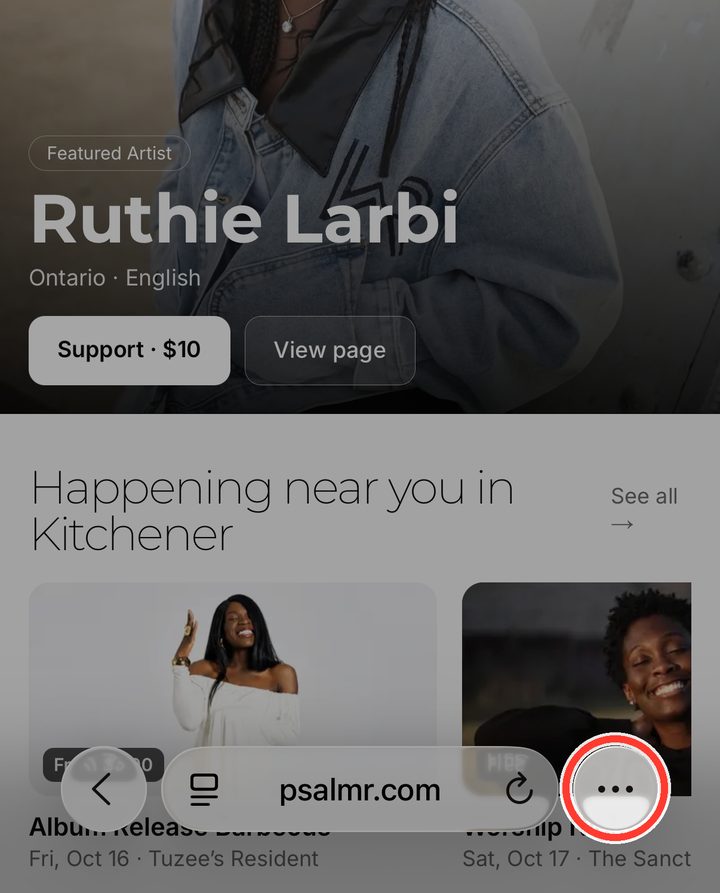
Tap the ⋯ button
It’s at the bottom right, next to the address bar. On older iPhones, skip this and tap the Share button (a square with an arrow pointing up) at the bottom of the screen.
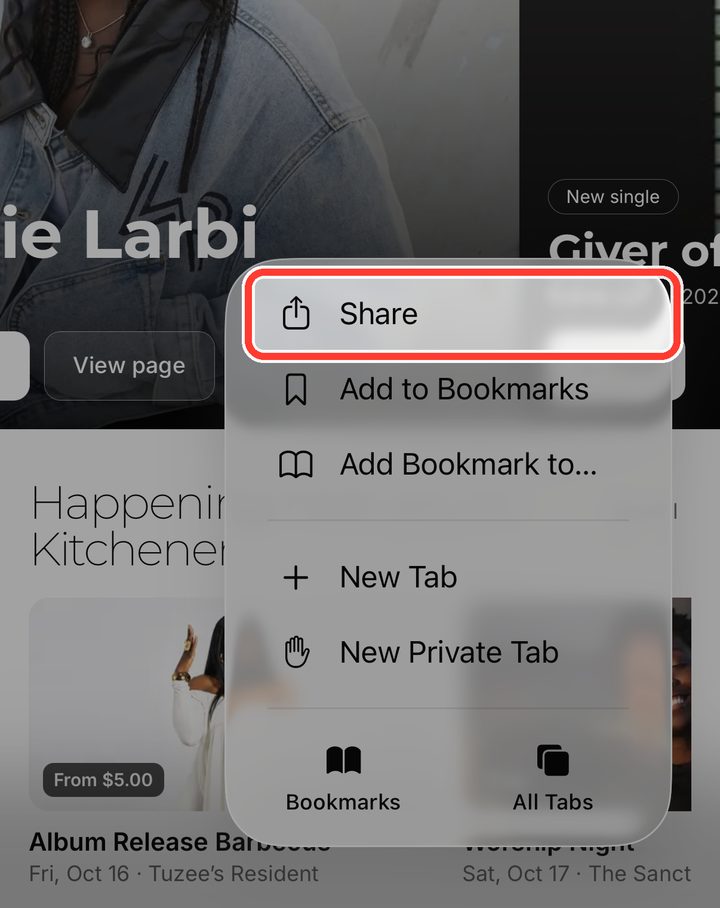
Tap “Share”
It’s at the top of the menu that opens.
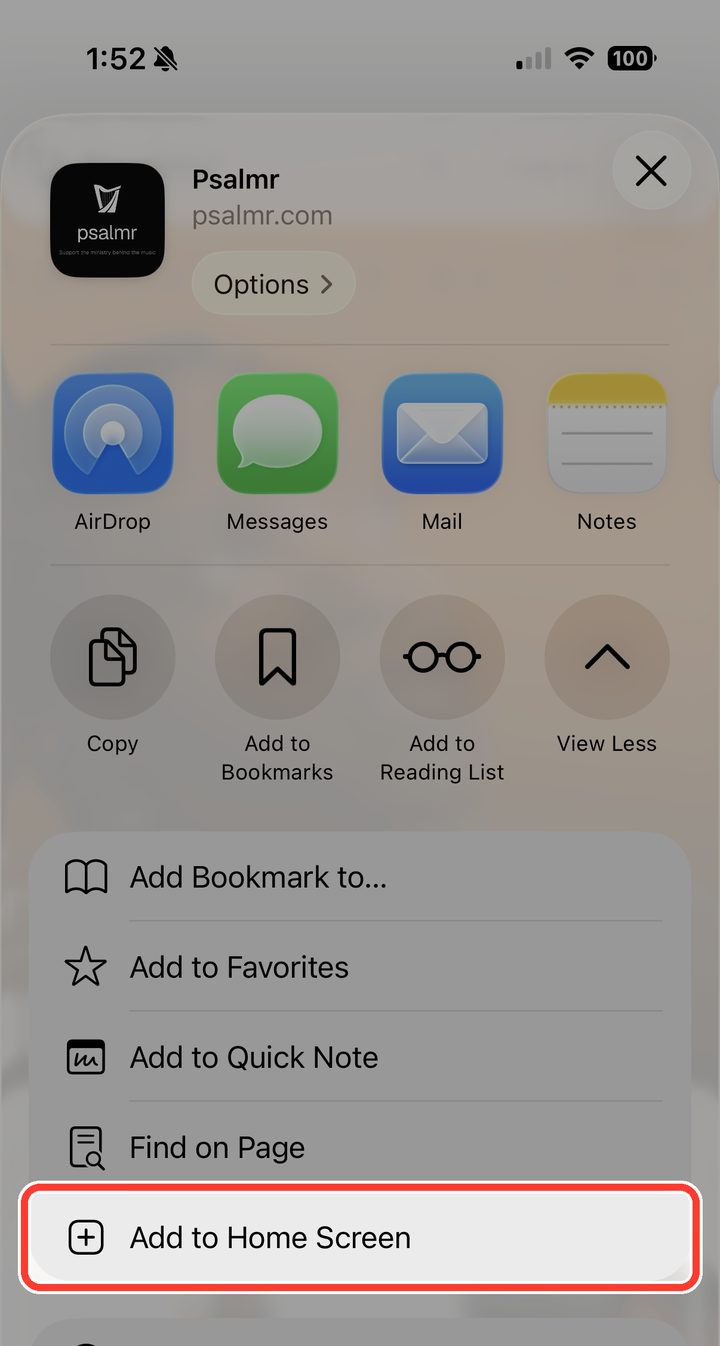
Tap “Add to Home Screen”
Scroll down the list to find it. If you don’t see it, tap “View More” first.
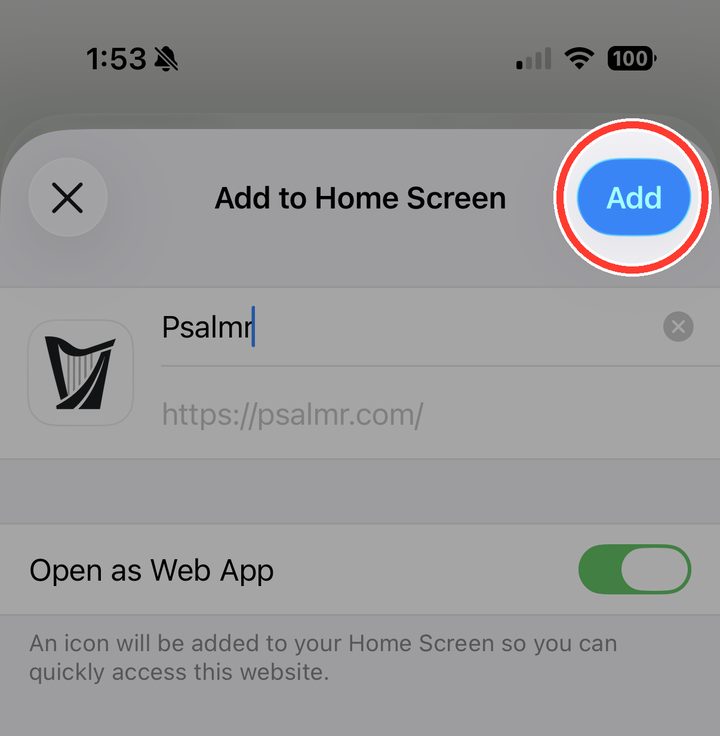
Tap “Add”
Leave “Open as Web App” switched on.
Open Psalmr from your home screen
Psalmr is now on your home screen like any other app. Open it from there from now on.